Skip to content

Drupal 11 · Canvas · Tailwind v4 · GPL

Drupal your editors will actually love

A project template that pairs Canvas page building with a Tailwind design system — 24 schema-guarded components your team composes in the CMS. One command lands a complete five-page demo site.

# a working Drupal site, three commands
$ git clone https://github.com/nextagencyio/drupalx-project.git
$ cd drupalx-project && ddev start
$ ddev install
# → five-page demo site · admin / admin

24

Canvas-ready components

5

demo pages on install

0

CDN dependencies

GPL

open source, like Drupal
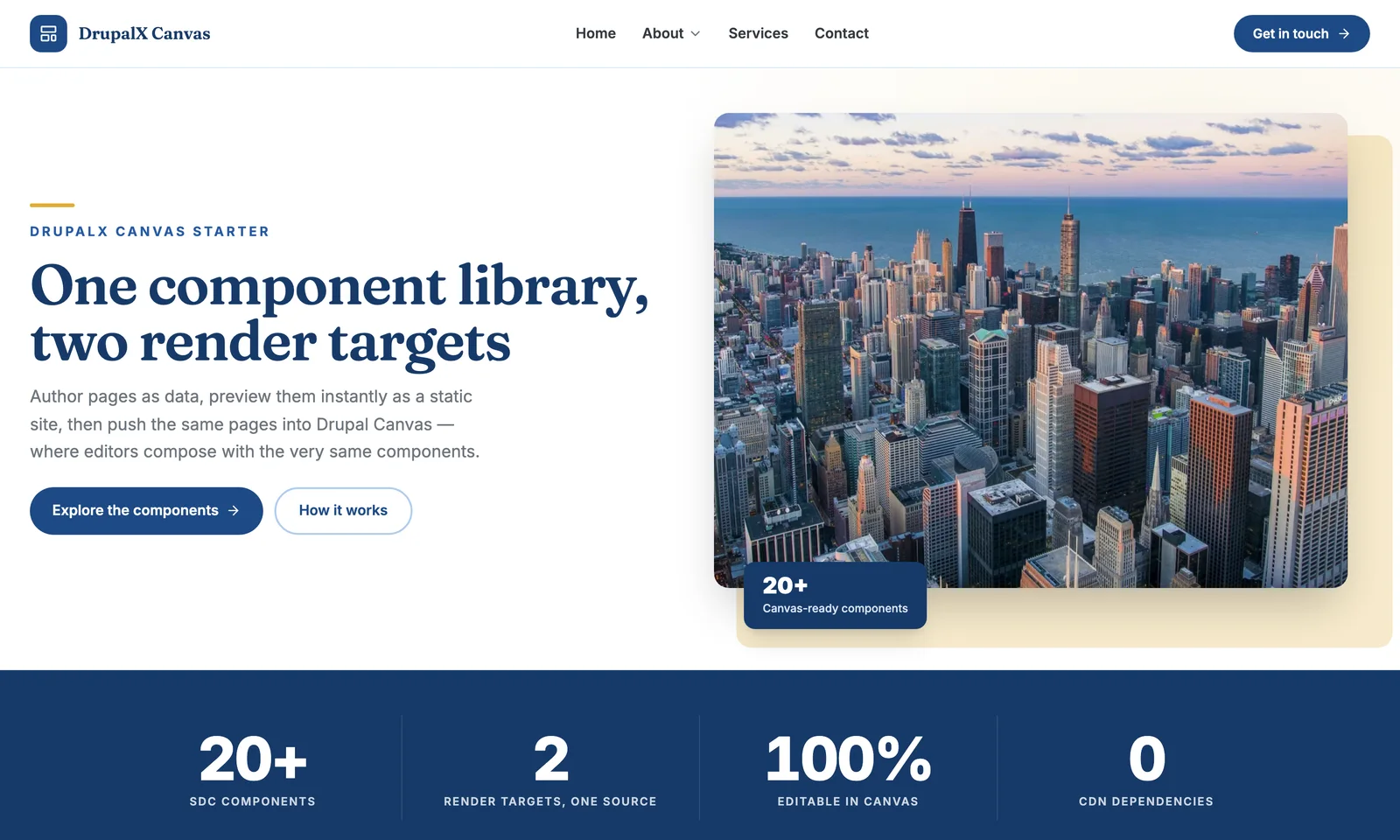
The DrupalX demo homepage — split hero with photo card and stat chip

Why DrupalX

Not a blank theme. A working system.

The Canvas editor: component layers, the live page, and a settings form

Editors compose real pages in Canvas

Drupal's Experience Builder, loaded with a component library that was designed for it. Drag from the library, edit props as plain form fields, nest cards into grids — the developer round-trip is gone.

Aa

A real design system

Fraunces display + Inter body, a full brand scale, two wayfinding color families — all Tailwind v4 tokens in one file.

CDN dependencies

Self-hosted variable fonts, Lucide icons inlined as SVG at build time, width-stepped WebP images via dx_image. Fast is the default.

Guardrails for editors

Schema-validated props: enums become selects, images use the media library, repeatable content is real nested components. On-brand is the only option.

$ npm run dev # :5050, live reload

Design without Drupal running

The same Twig renders in a Twing static workbench — iterate on components in milliseconds, then drush cr puts them in the editor.

The component library

24 components, all Canvas-ready

Read the component reference
  • Hero — glass / split / darkPage heroStat bandStatCard gridCardNews cardEvent cardSplitCall to actionQuoteRich text
  • GalleryAccordionAccordion itemAlert bannerDocument listDocument itemButtonHeadingIconImageDividerSpacer

components/button/button.component.yml

props:
  label:
    type: string
    title: Label
  url:
    format: uri-reference
  variant:
    enum: [primary, accent, ghost, glass]
  icon:
    enum: [none, arrow-right, …]
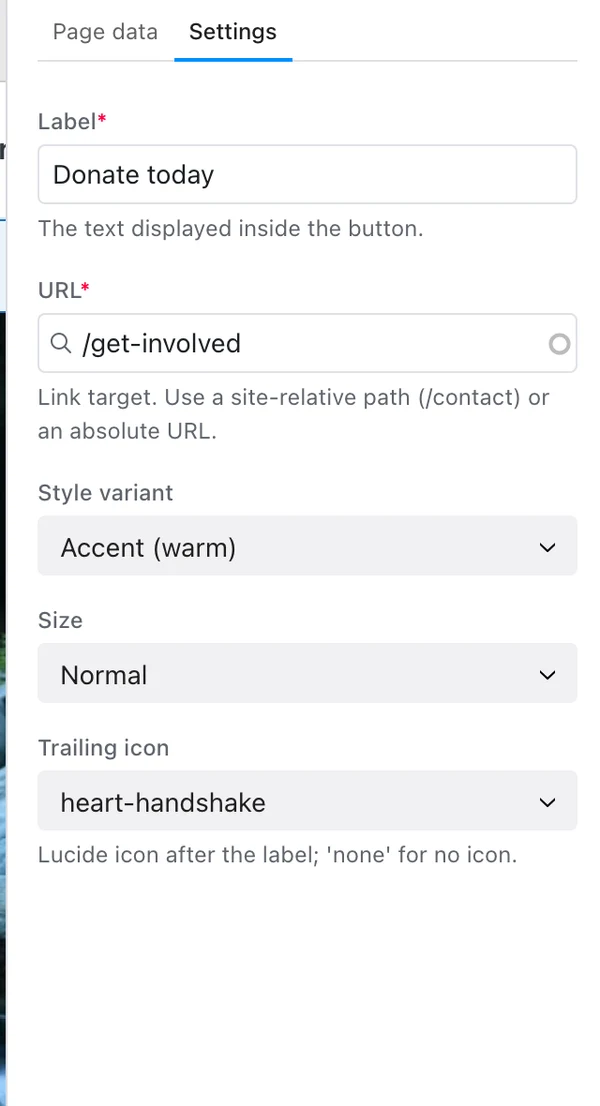
The same Button component in the Canvas editor: Label and URL fields, a Style variant select showing 'Glass (over photo)', Size and Trailing icon selects
…becomes the edit form

The theming system

Rebrand in one file

Every brand decision is a token. These are the same components — the starter palette and a river-teal nonprofit brand, one CSS block apart.

/* global.css — the whole brand */
@theme {
  --color-primary-500: #106efd;
  --color-accent-500:  #41e2f8;
  --font-display: 'Fraunces Variable';
  /* + sky & clay wayfinding families */
}
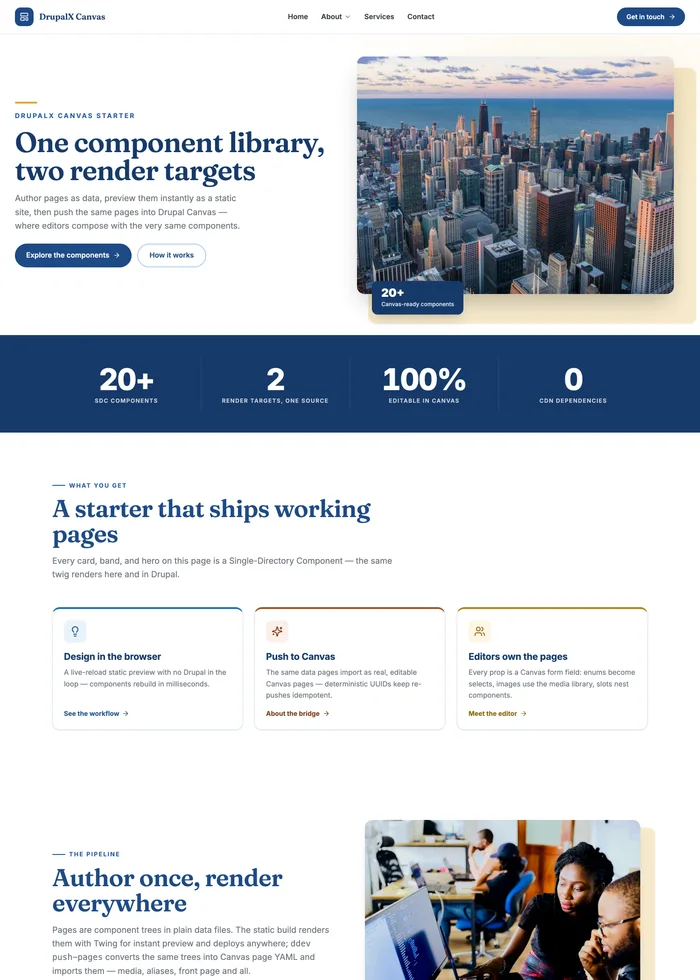
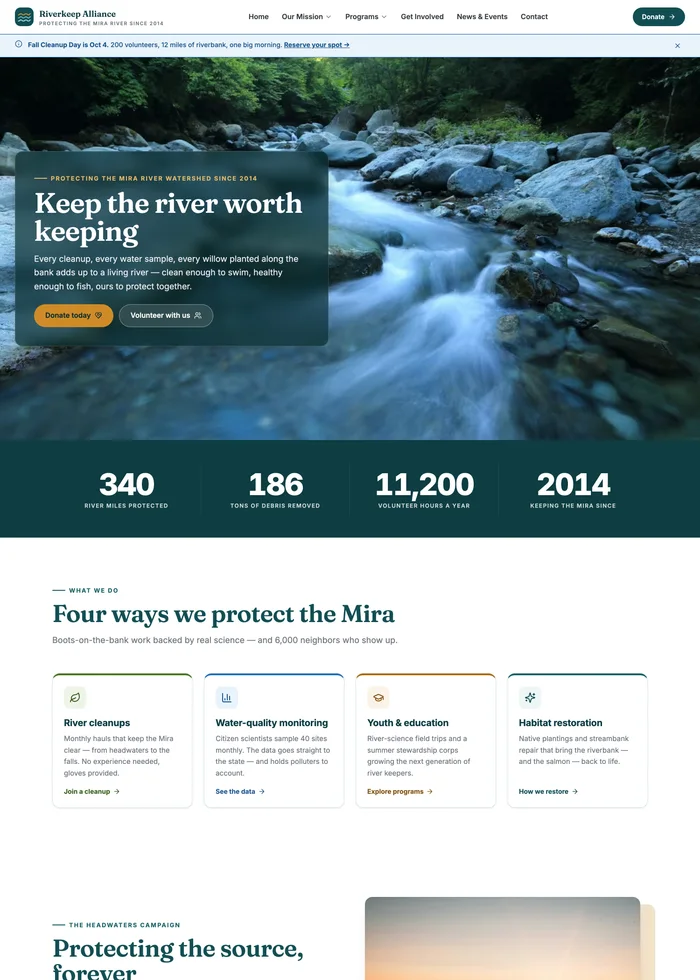
The DrupalX demo homepage in the default blue starter brand
The starter
The same components rebranded as a river-teal watershed-nonprofit site
One token block later

The workflow

Install to editing in minutes

  1. Install

    One command builds Drupal 11 + Canvas and imports the five-page demo — pages, media, menus, the lot.

    $ ddev install
    ✓ 5 pages · 10 media · main menu — ~4 min
  2. Compose

    Open any page in the Canvas editor. Drag components from the library, edit props as form fields, nest cards into grids.

    # no code from here on
    Library → Card grid → drop → Publish
  3. Extend

    New component = one folder: a schema + a Twig file. Preview it in the live-reload workbench, then clear caches.

    $ mkdir components/team_card
    $ ddev drush cr # it's in the editor

The editing experience

What your editors see

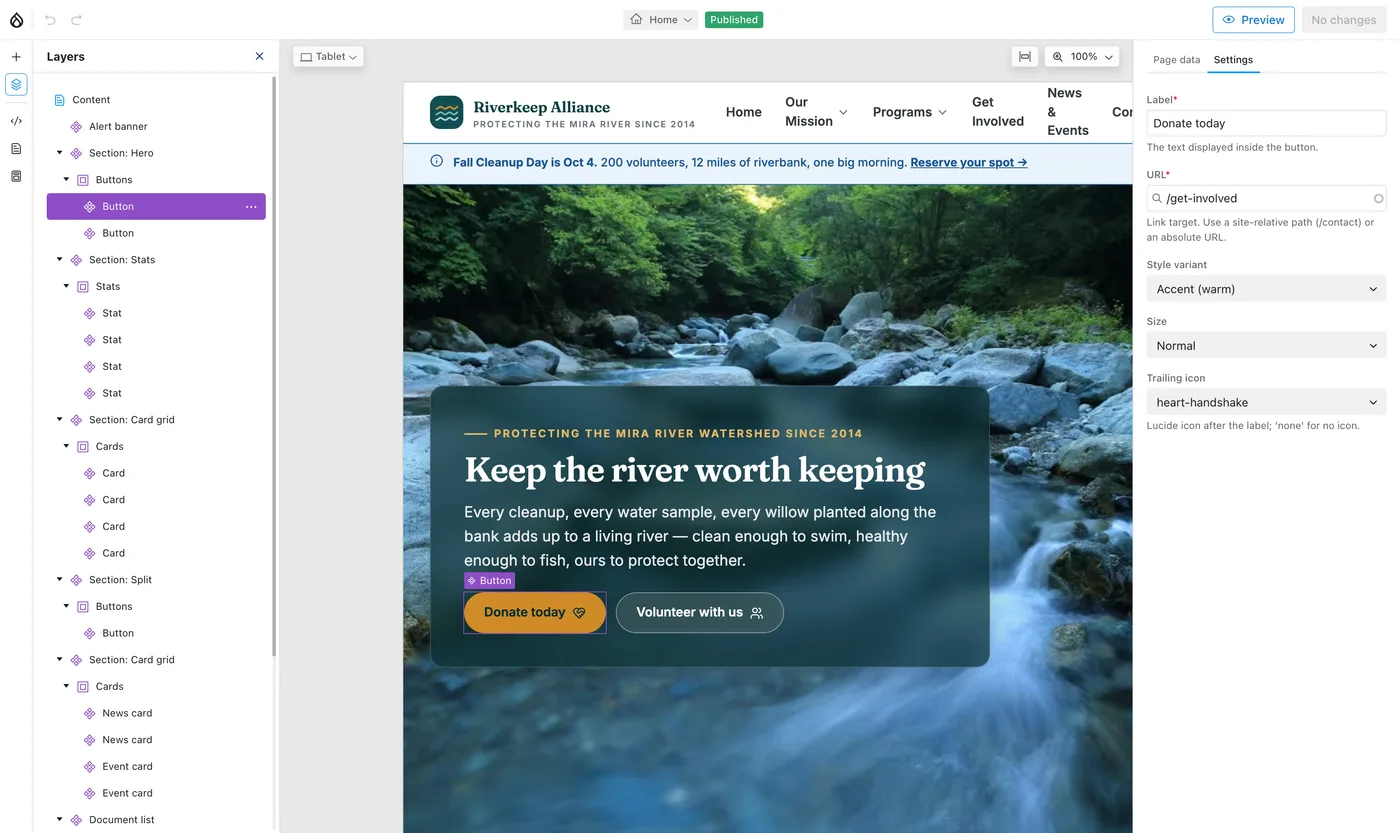
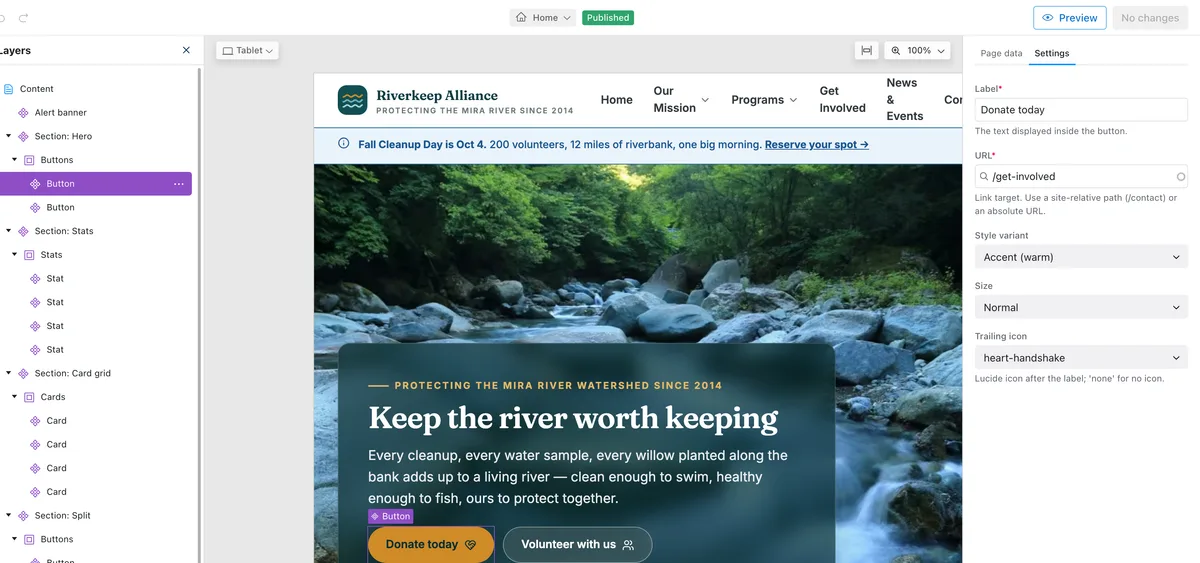
The Drupal Canvas editor showing the DrupalX demo homepage with the component layers panel and a Button component's settings form open

↖ Every component, a layer

Enums become selects →

The live page, mid-edit

FAQ

Frequently asked questions

The short version: it's a template you own, editors can't break it, and Node is optional.

More in the README
What exactly do I get when I clone it?
A complete Drupal 11 project template — the Canvas page builder, the drupalx_theme component library, the site recipe, and a five-page demo site that appears the moment you run ddev install. You own all of it in your repository; there is no distribution to track and nothing upstream that can break your site.
What is Canvas, and why build on it?
Canvas is Drupal's Experience Builder — the core initiative for visual, in-place page building. Editors compose pages from components: drag from the library, edit props as form fields, nest cards into grids. DrupalX ships a component library designed for it, so you get the editor experience without assembling one yourself.
Can non-developers edit pages without breaking the design?
Yes — and that is the point. Every component exposes schema-validated props, not free-form HTML: enums become dropdowns, images use the media library, and repeatable content is real nested components. Editors compose freely inside guardrails the design system enforces, so on-brand is the only option.
How hard is it to rebrand for a client?
One file. Recolor the token block in the theme's global.css — a primary scale, an accent scale, and two wayfinding families — then swap the fonts and logo and rebuild. The whole site re-skins; the "Rebrand in one file" section above is literally two token blocks apart.
Is it production-ready or just a demo?
Production-ready. It self-hosts fonts, inlines icons at build time, ships zero CDN dependencies, and serves width-stepped WebP images automatically. The demo content is there so the theming system works out of the box — delete it and build your own pages from the same 24 components.
Do I need Node.js to run a DrupalX site?
No. The theme's compiled CSS, JS, icons, and fonts are committed, so Drupal renders with zero Node builds. You only reach for Node when you change the theme (a Tailwind rebuild) or use the optional static-preview workbench to design components without Drupal running.
What does it cost?
Nothing. DrupalX is GPL-2.0-or-later, the same license as Drupal itself — free for any use, including paid client work. Clone it, rebrand it, ship it.

Free & open source · GPL, like Drupal

Your next Drupal site is three commands away

$ git clone https://github.com/nextagencyio/drupalx-project.git
$ cd drupalx-project && ddev start
$ ddev install  # → five-page demo · admin / admin

Walk through the five-page demo with your team. Rebrand it Monday.

GPL-2.0-or-later · free for client work · no lock-in